




You can open the same account in the browser or in the app. The login stays the same either way — nothing changes when you switch. It’s just a matter of what’s more convenient on that device.
Jaya 9 Login does not change with the device. Details remain identical. Joya9 Login needs nothing extra. Credentials stay fixed no matter the route. Joya 9 Login follows the same rule. The account itself is one. Only the way the device holds the session after entry can differ.
Jaya9 Login Comparison Table
| Feature | Website | App |
| Access Point | Browser on computer or phone | Android app (APK from the official site) |
| Credentials | Username + Password | Same Username + Password |
| Stay Logged In | Depends on device and settings | App may keep the session |
| Autofill | Browser can fill the fields | Not the usual method |
| Logout | Manual sign-out in the browser | Done inside the app |
| Recovery | Forgot Password? with phone (+880) and OTP | Same option |
| Best For | Shared devices or occasional use | Everyday use on your own phone |
Details do not change between paths. Jaya9 Login stays consistent after the first entry. The rule is the same everywhere. Jaya 9 Login does not introduce variations. These credentials cover all entry points. Jaya9 casino Login uses them without exception. Moving from the site to the app, or back, never requires a second registration.
Logging In Through the Website
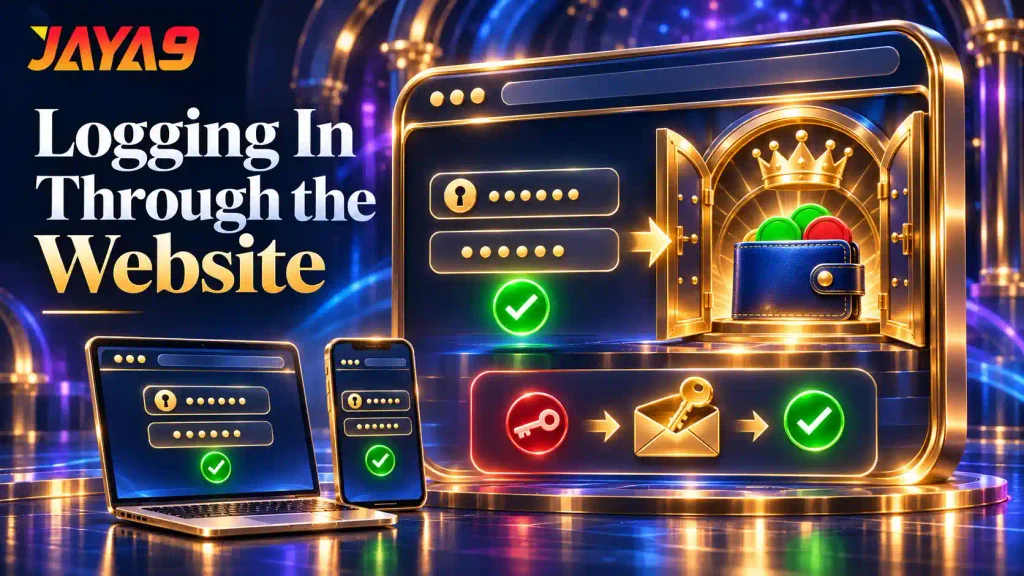
Open the official address in the browser already there. Find Login. Put in the username and password from registration and confirm. Correct ones open the profile. Wrong ones show the recovery link.
This is the standard flow on the site. Joya9 Login here requires only those details. The form does not vary by device. Joya 9 Login works identically on mobile or computer. No separate path exists for other variants. Jaya9 bonuses Vip Login uses the same entry.
You only need the username and password from registration. As soon as they’re accepted the profile opens with your current BDT balance. There’s no extra confirmation step. The balance figure updates once pending transactions clear, but the login is already done the moment the details go through. Most players in Bangladesh finish it on a phone browser.
Address Check Before Entering Details
Look at the address bar before you type. Layout copies appear. The domain does not. Check that it matches the official address you normally use. Anything else — close the tab. Same colours mean nothing if the address is wrong. Those seconds on the bar cut the main risk here.
Take a second to check the full address — that’s the easiest way to avoid the main risk here. A page can look familiar and still sit on a different domain. The address is what actually tells you it’s the official site.
Browser Autofill Pros and Cons
On a shared device the password stays for the next person. Autofill skips typing and small mistakes on your own locked phone. After a change it can still offer the old one — clear the entry when you update the password.
Points to keep in mind:
- Use autofill only on a device you alone control
- Clear the saved entry after any password change
- Avoid it entirely on shared or borrowed phones
The convenience is real on a personal phone. The risk appears the moment someone else can open the same browser.
Logging In Through the Jaya9 App
Allow unknown sources if Android asks. Download the APK from the official site, open the app and enter the same username and password. The app may keep the session between opens. New accounts can be made inside the app too.
These credentials apply directly. Jaya9 app login works the same way. Entry opens the full set of options. Jaya9 Bet Login becomes available right after. The path does not split. Jaya9 Casino Login uses the identical details. No extra credentials are required for live options. Access stays the same. The app simply removes the need to open a browser each time.
Staying Signed In
On your own locked phone you can leave it signed in. Open the app and keep going. On a borrowed phone or before you hand it over, sign out first. How long an idle session stays open depends on the app and device. There’s no fixed time for everyone and no guarantee it stays open for any particular length of time.
On a personal phone the open session is simply convenient. On any device someone else will use, the session should be ended before the phone is handed over. The length of time an untouched session remains active is set by the app and the device, not by any published rule for all users. There is no fixed guarantee the session will remain open for a set period.
App Update and Login
If the old version keeps rejecting your password even when you know it’s right, just download the latest APK from the same page and install it. Then try logging in again — your username and password stay exactly the same. Updating doesn’t create a new account or change your login details. If the current version is already installed, the new file just replaces it and your account stays linked.
Password Recovery
Start with the form option. If you cannot complete the reset, contact support with your username and where it stopped. Password stays out of the message.
Reset Steps
On the login screen choose Forgot Password?, then enter the visual verification code and the phone number linked to the account — it starts with +880. Tap Request OTP, put the code in the OTP field, then hit Reset. Set a new password and sign in.
The sequence in short:
- Forgot Password?
- Visual code + phone number (+880)
- Request OTP
- Enter code in Otp No
- Reset and set new password
Enter the visual code and your phone number first. Only then can you request the OTP. When the code arrives, put it in the OTP field. After that the Reset option appears and you can set a new password. It sends the code to the phone number already on the account. Email is not used.
Help from Support
If you can’t use that number or the process stops, open Live Chat or email support on the site. Tell them your username and where it failed. They’re available all day. Don’t send your password. Live Chat is right on the site. For email, use the address in the support section. Most people who reach out have either lost access to the registered number or aren’t getting the OTP.
Keeping Your Jaya9 Account Secure
Password not used elsewhere. Check the address first. Ignore links in messages. Sign out on devices that are not yours. Public networks raise the risk. Private connection better when available.
Basic habits:
- Unique password
- Verify the address before typing
- Sign out on any shared device
- Prefer a private connection when possible
Nothing fancy. Use a different password for each thing, glance at the address bar, and log out on shared devices. That’s enough for most people.

Suspicious Activity Response
Unrecognised login — change password immediately. Check activity if shown. End other sessions if possible. Then support with what you have. Change the password and that unrecognised session is done. You can look into the rest later. Dealing with the first one you don’t recognise stops more damage.
Common Login Errors
| Error | Likely Cause | Immediate Check | Next Action |
| Incorrect details message | Typing mistake or outdated password | Caps lock, extra spaces, correct username | Retype slowly or move to recovery |
| Old password appears | Browser autofill holding previous entry | Clear the saved password | Type the current password by hand |
| Process stops midway | Unstable connection | Signal strength and stability | Wait for a steadier link and retry once |
| Repeated failures | Several incorrect attempts in a short time | Time elapsed since last try | Pause or switch to the recovery option |
Most clear with a direct check. A lot resolve once that is done. The table lists the cases that appear most often.
Jaya9 Login for Bangladesh Users
Site and app both available in Bangladesh. English and Bengali. Balances in BDT. Login steps do not change by location. Same credentials either place. Language and currency display are the local differences at login.
The process stays consistent locally. Jaya 9 Login requires no adjustments here. Betting options open with the same entry. Jaya9 Win Login does not use separate details. The rule holds across variants. Jaya9 bet Login follows identical access.
Casino sections open the same way. Jaya9 Casino Login needs nothing extra. VIP access uses the ordinary details. Joya 9 Vip Login does not create a separate path. Jaya9 Login BD works without changes for local users.
You can switch language and show balances in BDT. Login and recovery through the +880 number stay the same no matter the language. Once the account is set up you can log in from anywhere.